
A 5-step workflow designed for internal approvals—so sampling, pricing, shipping, and payment move forward without late resets.
Roadmap
What gets controlled
Partner with Uniomy From idea → approved sample → bulk → receiving-ready delivery
Last updated: [Feb. 8th, 2026] · Covers: Samples / Pricing / Logistics / Payment · Built for: brand programs, e-commerce, retail receiving
If your internal owners start from different pages, approvals loop. Pick the entry point that matches your decision scope and route to the right checklist.
You care about: style accuracy, hand-feel, must-keep details, launch readiness
Start here: Samples Hub, What to Provide, Fabric Pack
Primary output you need: a sampling plan you can approve internally
You care about: tier pricing, cost drivers, MOQ logic, quote consistency
Start here: Pricing Hub, Tiered Pricing, Lead Time Planning
Primary output you need: a tier table + driver summary your team can sign off
You care about: safety scope, label/pack-out stability, inspection coverage, audit trail
Start here: Sampling Timeline & Revisions (approval scope), Shipping Documents (doc set alignment)
Primary output you need: clear approval scope + shipment document readiness
You care about: cartonization, marks/labels, receiving rules, document completeness
Start here: Logistics Hub, Carton Specs, Shipping Methods, Incoterms, Import Notes
Primary output you need: booking-ready packing data + receiving-proof labeling
You care about: payment method options, timing, paperwork, risk controls
Start here: Payment Options
Primary output you need: payment terms you can approve with minimal back-and-forth
This is the full journey from concept to delivered inventory. Each step lists what you receive and who owns the decision, so your internal team can align without version confusion.
Step 1 — Goal Alignment (Inquiry)
Step 2 — Feasibility Review (Artwork)
Step 3 — Sampling
Step 4 — PP / Golden Approval
Step 5 — Mass Production
Step 6 — QC & Pre-Ship Release
Step 7 — Pack-out & Shipping
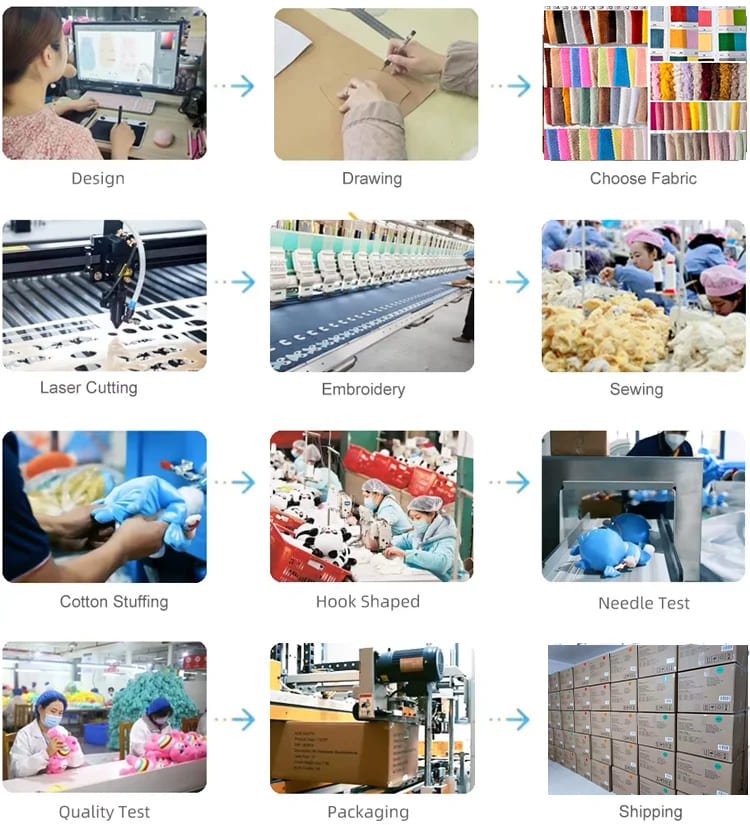
4 Control Gates and what changes typically cause re-quote, re-sample, or re-schedule.
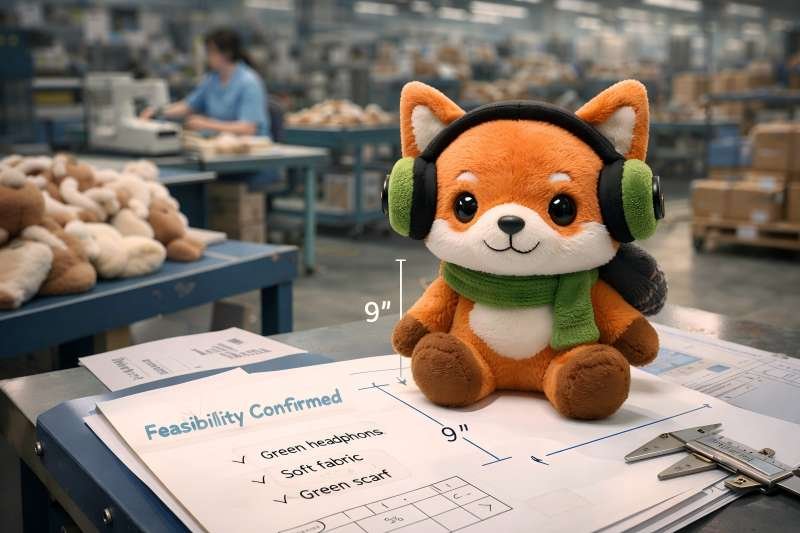
1) Feasibility Review
A pre-sampling check that confirms what can be built, what risks exist, and what must be proven first.
Use it when you have artwork/reference but need a clear build approach and sample path.
2) Sample Milestone
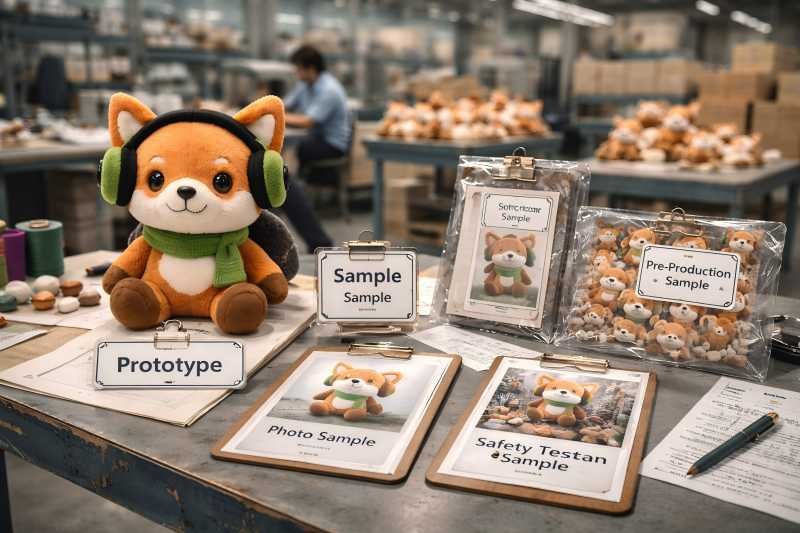
A defined sample stage with a specific purpose (concept, structure validation, photo-ready, PP/Golden).
Use milestones to avoid “approve the wrong sample and pay twice later.”
3) Sample Type
The specific category of sample you request (e.g., structure validation vs PP/Golden) based on what your team needs to approve.
Use it to match approvals to reality, not assumptions.
4) Revision Round
One cycle of feedback → changes → new sample.
Use a revision log to keep versions aligned across marketing, sourcing, and QA.
5) Revision Log
A tracked record of what changed, why it changed, and which files/versions were replaced.
Use it to prevent version confusion and speed internal approvals.
6) PP Sample (Pre-Production Sample)
The pre-production benchmark sample used to confirm bulk-ready execution.
Use it as the final gate before mass production starts.
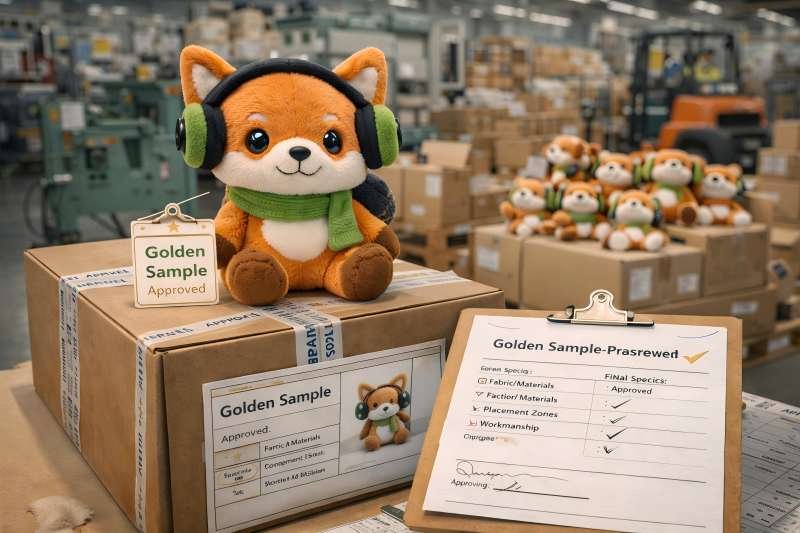
7) Golden Sample
The final approved reference standard that mass production must match.
Use it to protect consistency and prevent “approved sample vs bulk drift.”
8) Reference Lock (Version Lock)
A rule that the approved version becomes the benchmark, not a suggestion.
Use it to control changes and avoid silent substitutions.
9) Must-Not-Change List
A short list of non-negotiable features tied to the locked reference (materials/feel, placement, attachments, finishing).
Use it to make approvals enforceable and auditable.
10) Workmanship Notes
Execution rules that translate the approved sample into factory-operable checkpoints (symmetry, seam tolerance, attachment security).
Use it to reduce variability in bulk.
11) BOM Summary (Bill of Materials Summary)
A buyer-facing component/material list that clarifies what the product is built from.
Use it to align cost drivers and prevent unapproved substitutions.
12) Decoration Placement Map
A placement diagram that defines branding zones (embroidery/patch/print), sizes, and alignment rules.
Use it to prevent logo drift and rework.
13) Pack-out
The final packing process: polybag/box/inserts, labeling, bundling, and carton loading rules.
Use it to match receiving requirements and avoid warehouse holds.
14) Cartonization (Carton Spec Plan)
The defined carton plan: outer dimensions, units per carton, weight limits, total cartons, total CBM.
Use it to control freight cost and ensure receiving compliance.
15) Carton Spec Sheet
A structured sheet that lists all carton fields needed for booking, receiving, and documents.
Use it as the “single source of truth” for logistics.
16) Carton Marks
The printed carton identifiers (PO/SKU/carton count/mixed-SKU rules) required by your channel.
Use them to prevent receiving holds and mis-sorts.
17) Chargeable Weight (Dim Weight)
The freight billing weight based on carton dimensions, not just scale weight.
Use it to avoid freight surprises by controlling carton size early.
18) Booking Cut-off
The latest deadline to submit complete shipping inputs to secure space and meet sailing/flight schedules.
Use it to back-plan your in-hand date realistically.
19) Shipping Documents Set
Core documents used for shipment execution (commercial invoice, packing list, HS code direction, COO needs, declarations).
Use a checklist so document gaps don’t delay pickup/port release.
20) Incoterms
A shipping responsibility term that defines who pays and who manages key shipping steps (e.g., EXW/FOB/CIF/DDP).
Use it to clarify responsibility boundaries before booking and import clearance.
21) Receiving Type (3PL / Retail DC / E-com / FBA-like)
The warehouse/channel receiving rules that drive labeling, carton limits, pallet rules, and document requirements.
Use it early—changing receiving type late often forces carton/label rework.
22) Special Flags (Magnets / Batteries / Electronics / Oversize)
Features that can change compliance scope, packing rules, shipping method eligibility, and risk controls.
Declare them early to prevent rework and shipping delays.
| Stage | What you get (deliverables) | Used for (buyer decision) | Owner | Notes & boundaries (change triggers) |
|---|---|---|---|---|
| 0) Kickoff Scope Alignment | Program Scope Summary (use case, channel, target tier, target markets);Version ID Rules (SKU/Program ID + version + date naming);Owner Map (who approves: design / cost / packaging / logistics) | Align internal owners once so approvals don’t loop later. | Buyer + Factory | Switching channel (3PL → retail DC) often changes packing + labels. Missing owner map slows everything. |
| 1) Feasibility Review | Feasibility Notes (build approach + constraints + risk flags);Recommended Sample Path (milestones needed + why);Round-1 Verification List (what will be measured/checked) | Approve “can it be built” + “what must be proven first” before sampling starts. | Factory proposes · Buyer confirms | Triggers: size band change, new usage scenario, new compliance scope, added functional parts (magnets/electronics). |
| 2) Sampling Plan & Milestones | Sampling Plan (sample type(s), milestone purpose, timeline expectation);Review Checklist (dimensions / placement / symmetry / attachments / feel);Submission Pack Receipt Check (input completeness confirmation) | Confirm which sample is being approved and what “approval” means for that milestone. | Factory | Boundary: sample scope must be explicit. Changing sample purpose mid-stream usually adds rounds or a new milestone. |
| 3) Revision Control (Per Round) | Revision Log (what changed / why / which files replaced);Round Photos / Comparison Set (before vs after key areas);Open-Issues List (items pending buyer confirmation) | Prevent version confusion and make reviews auditable + repeatable. | Factory executes · Buyer reviews | Triggers: new materials, new accessories, new decoration zones → may require partial re-sample, re-quote, or re-timeline. |
| 4) PP / Golden Approval (Bulk Reference Lock) | PP/Golden Reference Lock Sheet (approved version ID + key photos);Must-Not-Change List (materials/feel, placement zones, attachments, finishing boundaries);Workmanship Notes (stitching, seam tolerance, symmetry checkpoints) | Approve the benchmark that mass production must match. Enables stable repeats and reorders. | Buyer approval gate | Hard boundary: bulk does not start without this. Triggers: fabric swap, logo placement change, accessory change, packaging layout change. |
| 5) Pre-Production Setup | BOM Summary (Buyer-facing) (materials + key components list);Decoration Placement Map (zones + sizes + alignment rules);Packaging & Label Draft Set (if applicable) | Confirm production-ready setup matches approved reference + channel/receiving rules. | Factory | Triggers: changing labeling language, barcode formats, or pack-out method affects cost + schedule. |
| 6) Mass Production (In-Process Control) | Progress Checkpoints (milestone updates aligned to plan);Exception Callouts (only if deviation risk appears);In-Line Verification Snapshots (placement/attachments/finish checks when needed) | Keep execution aligned to the locked reference and surface risks before they hit delivery dates. | Factory | Boundary: post-approval changes convert stable flow into stop-start flow and may reset schedule. |
| 7) QC & Pre-Shipment Release | QC Snapshot (coverage scope + pass/fail summary);Defect Photo Set (if exceptions found, with corrective notes);Release Confirmation (shipment-ready approval for pack-out/booking) | Support acceptance decisions and reduce dispute risk with traceable evidence. | Factory QA · Buyer optional 3rd-party | Boundary: inspection scope must match market/channel risk. Expanding scope late can affect ship date. |
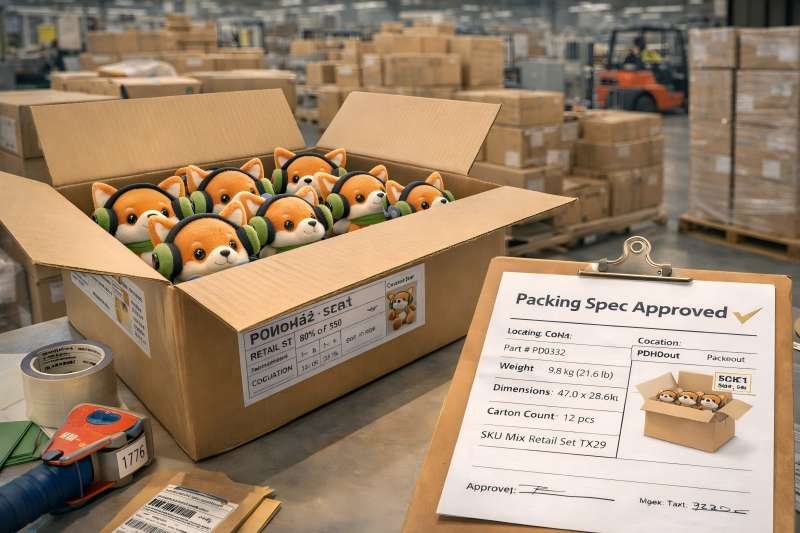
| 8) Packing Spec (Receiving Lock) | Carton Spec Sheet (outer dims, units/ctn, GW/NW, total cartons, CBM);Carton Marks Template (PO/SKU/carton count, mixed-SKU rules);Label Placement Guide (positions, barcode rules if needed) | Prevent receiving holds and unexpected freight cost increases by locking pack-out rules early. | Factory prepares · Buyer confirms receiving rules | Triggers: receiving type switch, pallet requirement added, max carton weight limits changed. |
| 9) Booking-Ready Shipping Pack | Shipping Doc Checklist (CI/PL drafts, HS code direction, COO needs, declarations);Contact Chain Sheet (consignee / ship-to / notify party + forwarder/broker);Booking Inputs File (carton totals + special flags) | Enable fast booking and avoid port/warehouse delays caused by missing/inconsistent inputs. | Buyer provides contacts/rules · Factory compiles | Boundary: shipping can’t run reliably without carton data + receiving rules + contact chain. |
| 10) Shipment Confirmation (Ready to Receive) | Final Packing List (carton count + SKU rules);Shipment Photo Confirmation (labels/marks/carton count evidence when required);Document Set Release (final or draft per agreed flow) | Support warehouse receiving, claims prevention, and internal close-out docs. | Factory | Boundary: late label/mark changes create receiving holds and rework risk. |
| 11) Payment Alignment (Finance-Ready) | Payment Options Summary (method choices + timing expectations);Invoice Naming Fields (program ID/version/date/reference rules);Change Approval Rule (who approves cost/term-impacting changes) | Prevent payment process delays from blocking sampling start, bulk release, or shipping. | Buyer finance + Buyer owner | Boundary: unclear approvers + missing reference fields cause more delays than the method itself. |
Send decision-grade inputs once, choose the right sample milestone, and receive a tier quote your team can approve—without rework loops or re-quotes.
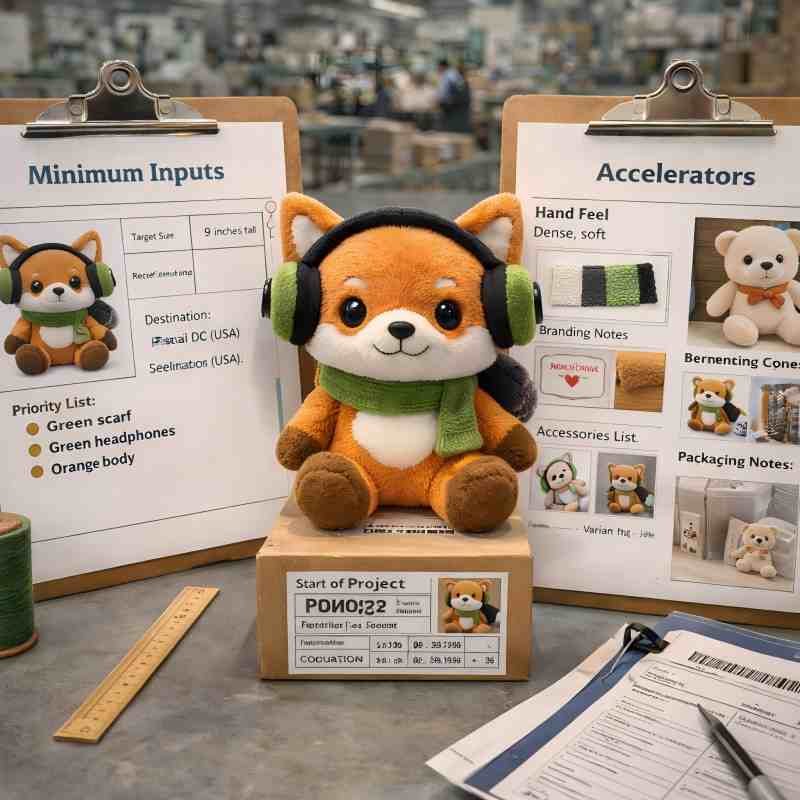
You don’t need perfect files. You need decision-grade inputs. Minimum inputs start the work; accelerators reduce interpretation and revision loops.
Column A — Minimum to Start (send these first)
Column B — Accelerators (these cut rounds and shorten alignment)
What you get back (deliverables-first)
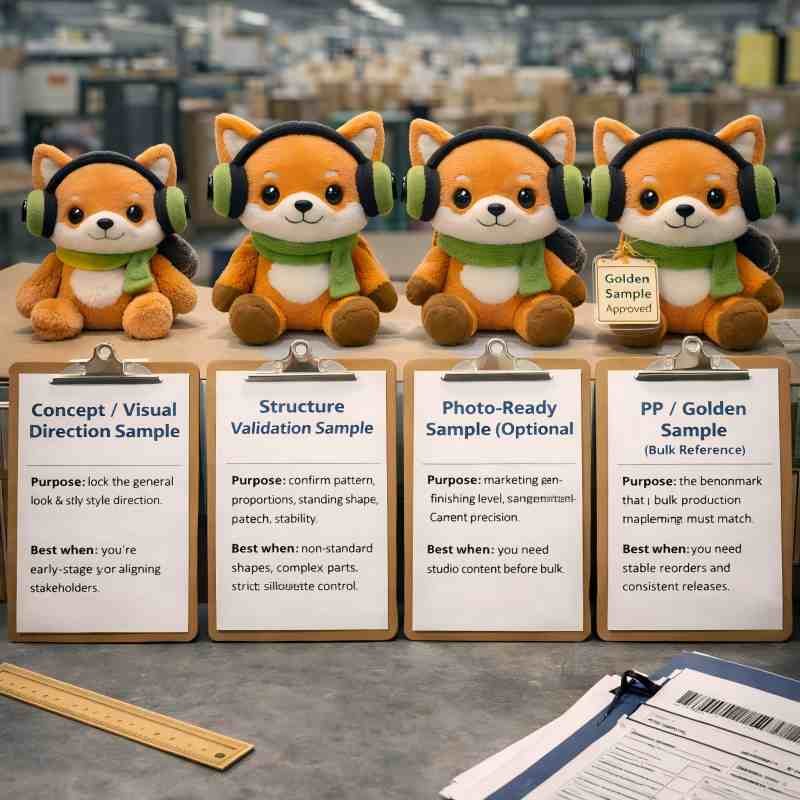
Sampling moves fastest when everyone knows what a sample is meant to prove. Use milestones that match your approval reality—then review against measurable fields, not subjective impressions.
4 milestone cards (keep each short + decision-grade)
1. Concept / Visual Direction Sample
Purpose: lock the general look & style direction
Best when: you’re early-stage or aligning stakeholders
2. Structure Validation Sample
Purpose: confirm pattern, proportions, standing shape, attachments, stability
Best when: non-standard shapes, complex parts, or strict silhouette control
3. Photo-Ready Sample (Optional)
Purpose: marketing-ready finishing level (symmetry, surface finish, placement precision)
Best when: you need studio content before bulk
4. PP / Golden Sample (Bulk Reference)
Purpose: the benchmark that bulk production must match
Best when: you need stable reorders and consistent releases
3 Approval rules that prevent version confusion
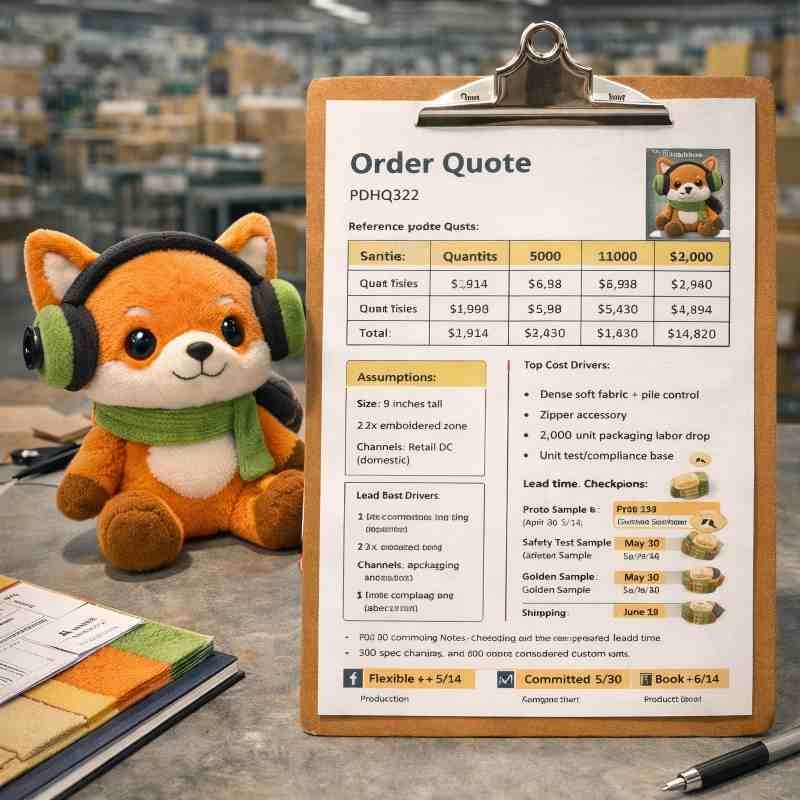
A usable quote is one your team can approve internally. That requires tier logic, clear assumptions, and the top unit-cost drivers explained in buyer language.
What a decision-grade quote includes
Top 6 cost drivers
How to optimize cost without damaging outcome
Back-plan every milestone to your in-hand date, then lock cartons, documents, Incoterms, and import inputs early—so booking and receiving run without delays or holds.
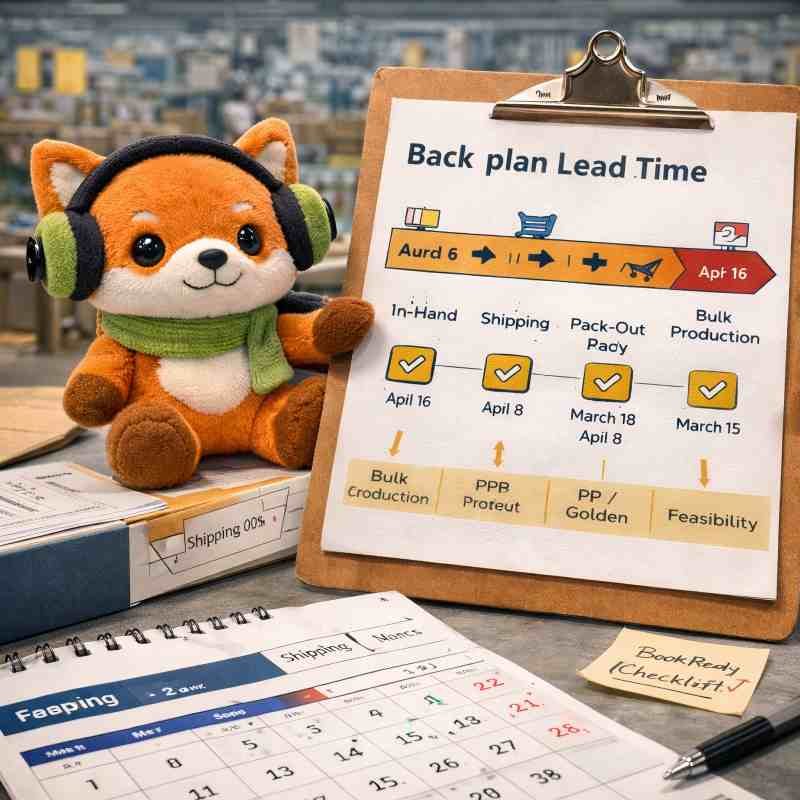
Back-Plan to Your In-Hand Date
“Lead time” becomes controllable when you back-plan from in-hand date to the gates that must be approved. This prevents last-minute resets caused by late scope changes or late shipping inputs.
The back-plan chain
In-hand receiving date → destination shipping time → booking cut-off → pack-out lock → QC release → bulk production → PP/Golden approval → sampling rounds → feasibility confirmation
Top 3 delays that hit most programs
minimum shipping inputs
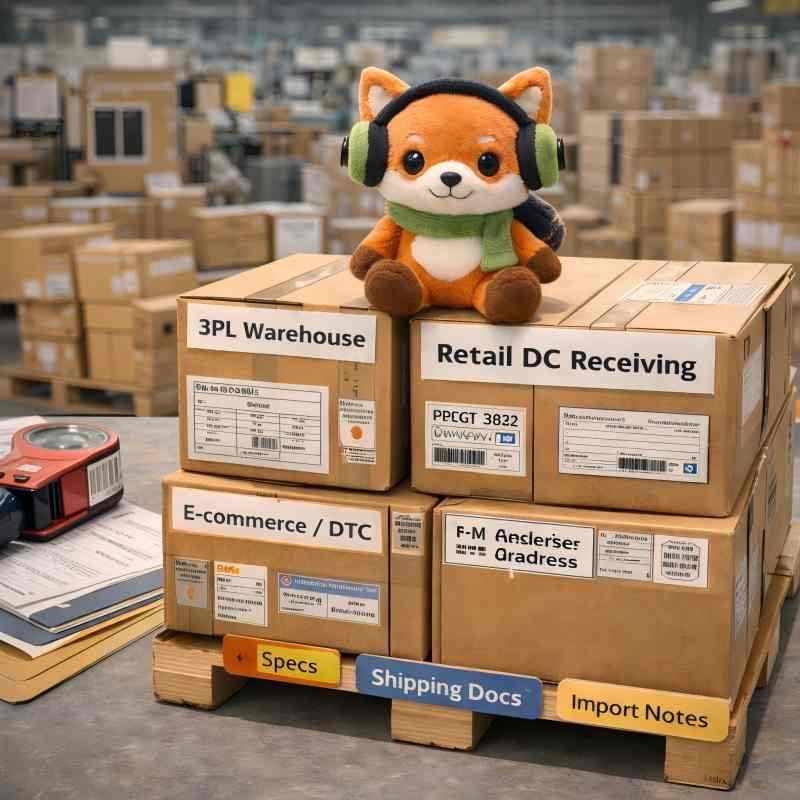
Shipping succeeds when your receiving system is respected. Use the routes below based on your channel, and lock carton data early so booking and documents do not stall.
3PL Warehouse
Focus: appointment SOP, dock rules, pallet requirements, label formats
Open: Carton Specs, Shipping Documents, Incoterms
Retail DC Receiving
Focus: strict carton/pallet limits, ASN/label formats, compliance labeling
Open: Carton Specs, Import Notes, Shipping Documents
E-commerce / DTC Fulfillment
Focus: mix-SKU carton rules, labeling consistency, fast turnover receiving
Open: Carton Specs, Shipping Methods, Import Notes
FBA-like Programs (if applicable)
Focus: barcode/label rules, polybag warnings, carton labels, receiving holds prevention
Payment should not slow the program. Use this section to align finance early—method options, timing expectations, and what paperwork typically helps.
Finance alignment checklist


Q1. How long does a typical custom plush project take?
Most timelines are controlled by approval gates: feasibility → sampling rounds → PP/Golden approval → bulk → shipping. The fastest programs avoid post-approval changes and submit booking-ready shipping inputs early.
Q2. What causes re-quotes most often?
Size band changes, fabric swaps, adding accessories (magnets/electronics), expanding decoration coverage, or changing packaging/label formats after approval. These change-trigger items reset assumptions and often cost/time.
Q3. What is the difference between PP sample and Golden sample?
Both function as the bulk reference. Use “PP/Golden” as the approval gate where your final version becomes the benchmark that bulk must match.
Q4. Do I need a fabric pack?
Not required, but it reduces interpretation on hand-feel, pile direction, and finishing level. If your stakeholders are sensitive to touch/feel, it often saves a revision round.
Q5. What shipping inputs are required before booking?
Carton assumptions (dims, units/carton, weight limits, total cartons), receiving type rules, consignee/ship-to/notify party chain, Incoterms direction, and any special flags (magnets/batteries/electronics).
Q6. How do you prevent “version confusion” across teams?
One approved version becomes the reference, feedback is recorded by category, and changes after approval are treated as triggers that require re-confirmation before execution.
If you want speed and stability, start with the inputs that allow a clean feasibility gate and a sampling plan your team can approve.
You belong to which situation? (Pick one)
1) I’m starting sampling
2) I need a quote my team can approve
3) I’m planning shipping and an in-hand date
4) My docs keep failing (CI/PL/Marks/BL mismatch)
5) I’m unsure about Incoterms and responsibility
6) I need payment terms that match my project
If you have questions or need a quote, leave us a message. We’ll reply within 12 hours with the best-fit solution for your requirements.
This form is built for accurate quoting—size, quantity, materials, accessories, and compliance needs. The more complete your brief, the fewer revisions and the faster your sample can start.

I am Lumi, our team would be happy to meet you and help to build your brand plush.