
Make every plush shipment listing-ready—clear labels, aligned barcodes, and batch traceability.
From hang tags to carton marks, we lock required fields early and deliver an audit-friendly proof pack—so you avoid rework, delays, and channel pushback.
Labeling and traceability keep plush products listing-ready and easy to verify at receiving. This section clarifies what must appear on tags and cartons, what IDs must match across files, and which batch records are kept—so bulk shipments don’t get delayed by label fixes or missing trace-back info.
These identifiers are locked so the same IDs appear on product labels, cartons, packing lists, and documents:
A basic trace-back chain is kept from inputs to shipment:
Required Label Fields Checklist
Most labeling issues aren’t product-quality problems—they’re missing fields, mismatched IDs, or unclear warnings that block listings and trigger rework. This checklist summarizes the most commonly requested label fields for plush programs, plus optional fields that reduce disputes and returns.
1) Identity fields (what the product is)
2) Origin & responsible party fields (who made it)
3) Material composition (what it’s made of)
4) Safety & age-related fields (what users must know)
5) Care instructions (how to maintain it)
6) Barcode alignment (what must scan and match)
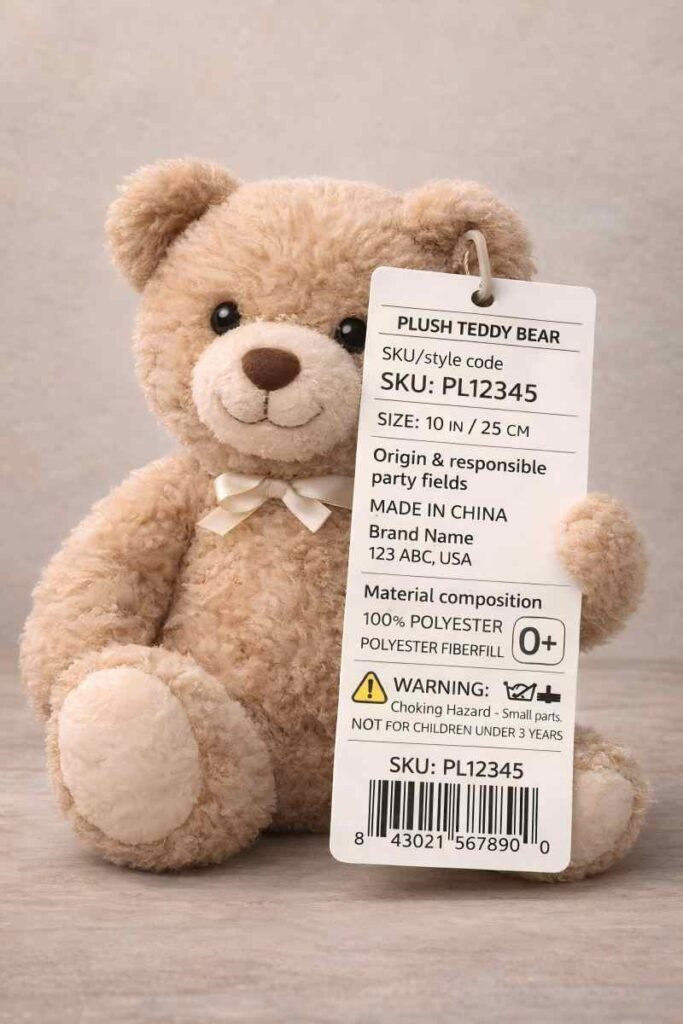
3 important parts to know how label traceable.
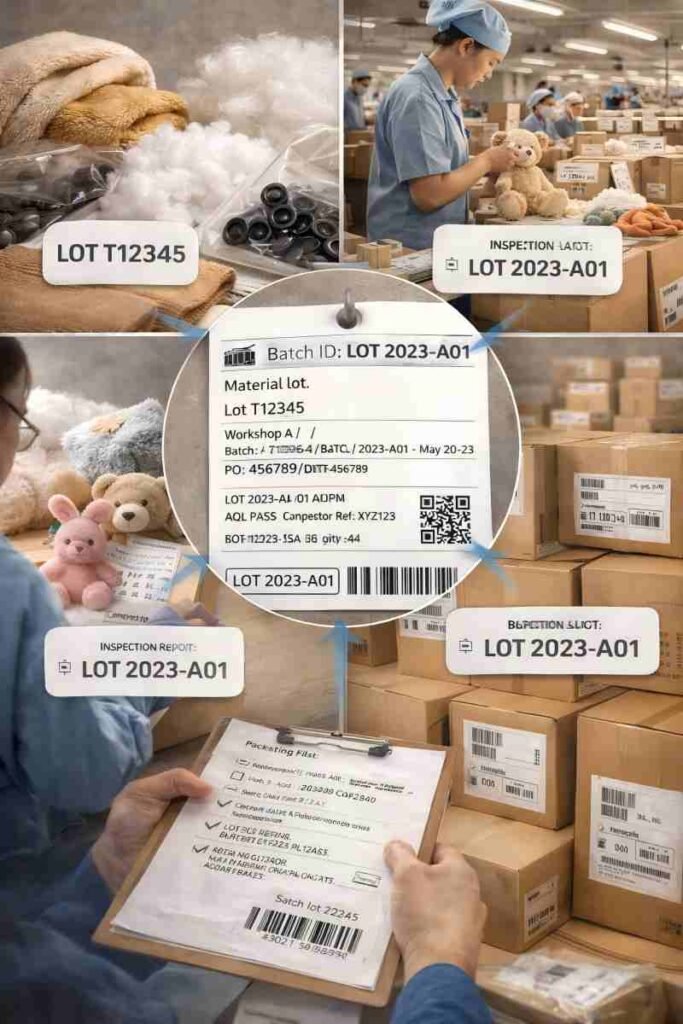
Batch ID & Traceability
Traceability matters only when a question can be answered fast: which batch, which materials, which inspection record, and which cartons shipped. This map shows how batch IDs connect materials → production → inspection → shipment, so issues are pinpointed without guessing. The traceability chain (from material to carton):
1) Material lots (what went into the plush)
Lot-level records are kept for key inputs used in the approved build:
2) Production batch (when and where it was made)
A production batch is assigned so output can be tied to a specific run:
3) Inspection batch (what was checked)
Each production batch can be linked to the inspection evidence used in review:
4) Shipment batch (which cartons actually left)
Before shipment, carton IDs and shipping documents are aligned so everything matches:
What a Batch ID helps answer
Label Artwork & Barcode Approval (No Reprints, No Scan Failures)
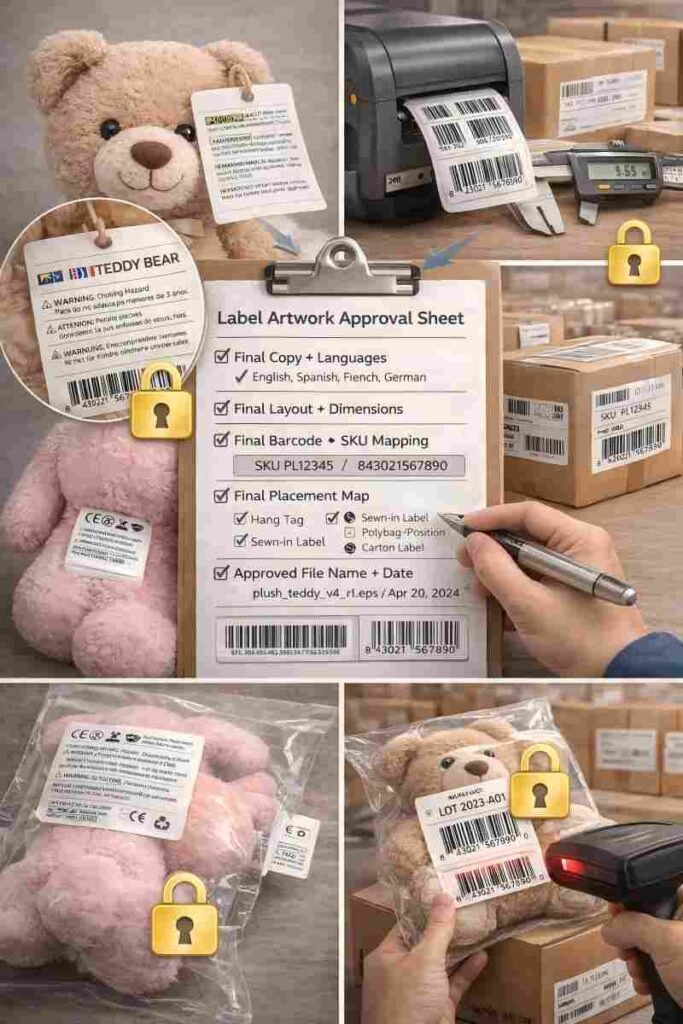
Label rework usually happens for simple reasons: missing language versions, warning text changes, unreadable layouts, or barcodes that don’t scan. This section shows what gets approved and locked—so label files, barcode mapping, and placement stay consistent from sample to shipment. What gets locked:
1) Language versions + layout (so text doesn’t drift)
2) Readability rules (so warnings are clear)
3) Barcode scan success (so receiving doesn’t fail)
4) Placement consistency (so every unit is labeled the same way)
The lock sheet that prevents “version drift”: Label Artwork Approval Sheet
A single approval sheet freezes what must not change during production:
Packaging Markings(Polybag/Carton/Shipping marks)
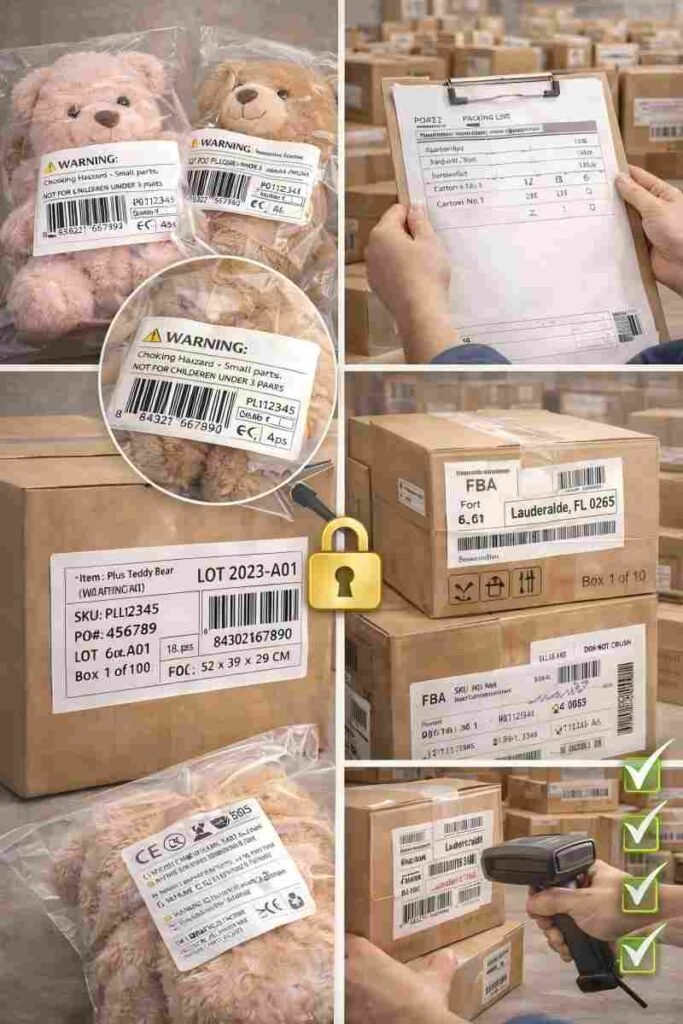
Receiving delays often come from labeling, not product quality: missing polybag warnings, unclear carton labels, wrong carton numbering, or PO/SKU fields that don’t match the packing list. This section locks a channel-ready marking spec and photo-checks it before shipment. What gets standardized:
1) Polybag warning + label placement (when polybags are used)
2) Carton label format (the fields warehouses actually scan)
A clear carton label format keeps SKU and quantities unambiguous:
3) Shipping marks (what ties cartons to PO + destination)
4) 3PL/warehouse matching (so carton labels and documents agree)
Before packing starts, required fields are aligned across:
How We Prevent the small mistakes
What causes it
Barcode resized, stretched, low contrast, or printed on a curved/wrinkled surface
How we prevent it
Sample-stage barcode verification (print check + scan check where applicable)
Barcode size + quiet-zone rules locked in the approval sheet
Placement on a flat, stable area whenever possible
What causes it
One language version updated, others not; required fields disappear during layout changes
How we prevent it
Field List lock (required fields cannot be removed)
Single master layout with version control
Final copy sign-off before print
What causes it
SKU/qty/carton numbering differs between labels and documents
How we prevent it
Pre-shipment reconciliation sheet (carton label ↔ packing list ↔ PO alignment)
Carton numbering rules fixed (e.g., 1/10, 2/10…) and checked with photos
What causes it
Fabric/fill/accessory updated after label files are finalized, but compositions or claims remain unchanged
How we prevent it
A “must-not-change” field list tied to approved materials
If a change is necessary: update triggers defined (what must be re-approved, what must be re-labeled)
Timeline Integration (Sample → Pre-Production → Shipment)
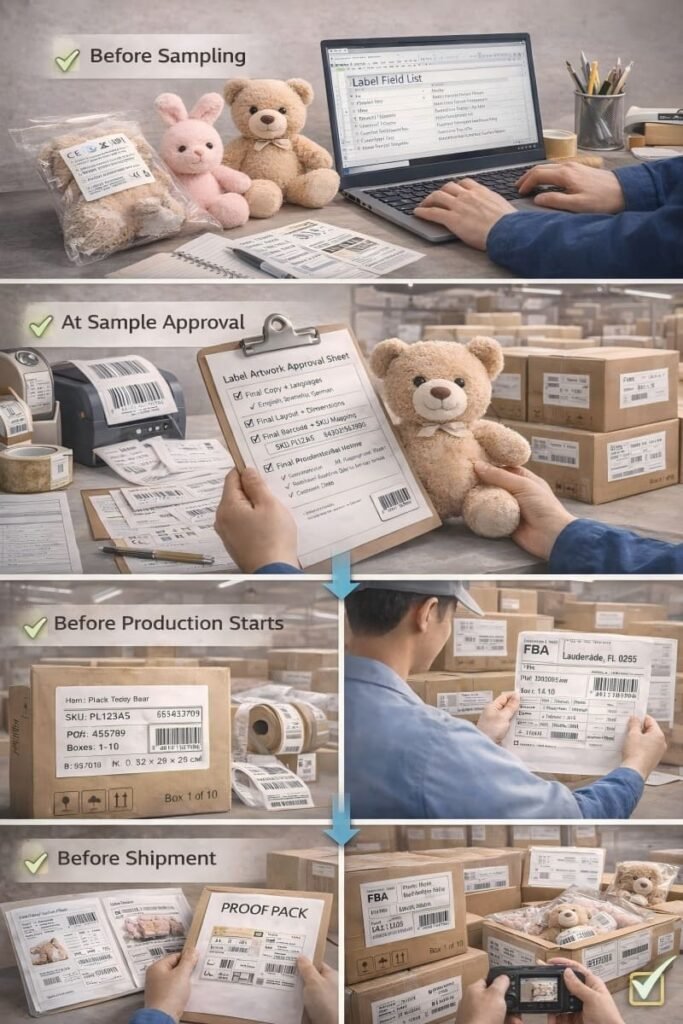
Labeling and traceability cause problems only when they’re handled late. The safest timing is simple: confirm required fields before sampling, lock artwork/barcode mapping at sample approval, lock batch/carton rules before production, then photo-check and archive everything before shipment—so nothing drifts mid-run.
1) Before sampling — Confirm market + required fields
2) At sample approval — Lock artwork, languages, and placement
3) Before production starts — Lock batch rules + carton marking format
4) Before shipment — Photo-check and archive the Proof Pack
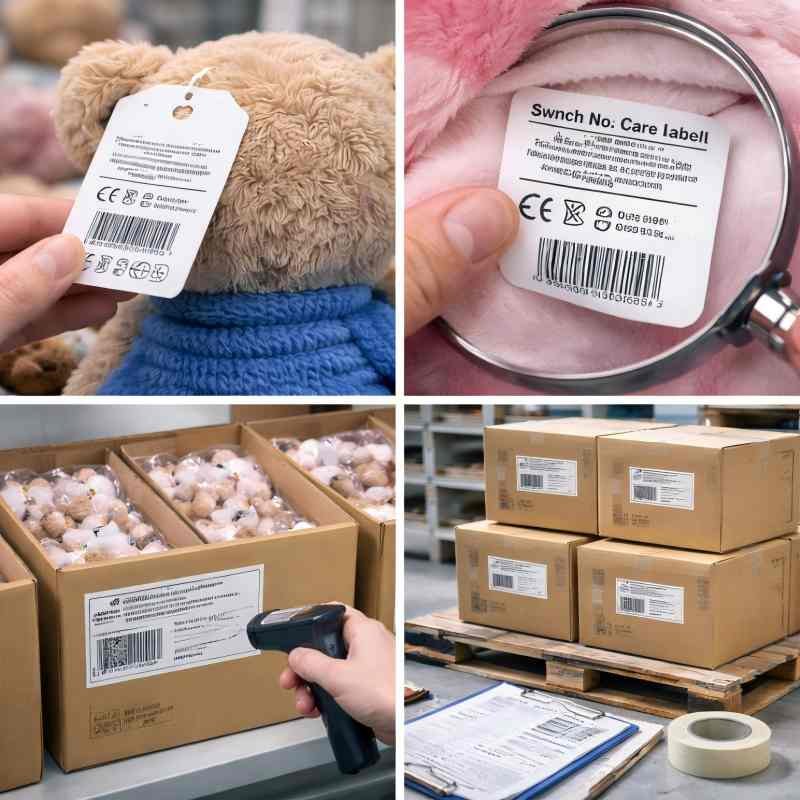
Q1: Can you support multiple languages on tags and packaging?
Yes. Share your target markets and channel requirements. We’ll build a field list and layout plan for single-language or multi-language versions, then lock the approved copy and placement to prevent version drift.
Q2: Do you provide UPC/EAN printing, or do we supply the barcodes?
Either works. Most buyers supply the UPC/EAN numbers (and we generate print-ready artwork), or you can send barcode files. We’ll confirm sizing/quiet-zone rules and align barcode-to-SKU mapping across tags and cartons.
Q3: Can you match our retailer/warehouse carton marking format?
Yes. Send your carton label template or 3PL receiving rules (field order, label size, placement, carton numbering). We’ll standardize it into a carton marking spec and photo-check it before shipment.
Q4: Do you offer sewn-in labels, or hang tags only?
We can support hang tags, sewn-in brand labels, and care labels (when your program uses them). We’ll recommend the label set based on your channel, washability plan, and merchandising needs.
Q5: Can you support traceability references for audits or after-sales?
Yes. We can provide a practical traceability chain and include high-level batch references in the proof pack (with sensitive supplier details redacted as needed).
Q6: Do we need age grading if it’s not a kids product?
Not always—but some channels still require clear audience guidance. Tell us your market and channel, and we’ll align the required label fields and documentation set accordingly.
Control what customers feel, avoide all risks.
Clear labels. Aligned SKUs and barcodes. Carton marks that match your channel. Share your target market, sales channel, and current label/packaging rules—we’ll reply with a structured Field List, a placement map, and a proof-pack plan you can approve before production.

I am Nika, our team would be happy to meet you and help to build your brand plush.