
Third-party testing stays on schedule when the submitted sample matches the locked version—so reports are usable, retests are avoided, and ship windows stay realistic.
Let’s fix if you also in same:
Turn testing into a planned milestone
SKU / Program name
Target market & sales channel (US/EU/UK, retail, marketplace, licensing, etc.)
Age grading (intended age group)
BOM / material list (fabric, stuffing, trims, accessories)
Key construction notes (attachments, magnets/weights, electronics, special fixes)
Final fabric + stuffing (the bulk-intended material set)
All attachments included (eyes/nose, hardware, trims, accessories)
Magnets/weights/electronics confirmed (if applicable)
Decoration method fixed (embroidery/printing/patch type and placement)
Pack-out / labeling version fixed (warnings, barcode/SKU mapping, inserts if applicable)
Sample is submission-ready (locked version, no open items)
Confirmed scope (what is included in the test plan)
Lab booking queue (intake availability and scheduling)
Variant coverage (single SKU vs multiple variants)
Report requirements (language, signing/stamping, format expectations)
Agreed testing scope (for the specific SKU/version)
Number of SKUs/variants covered (single vs multiple submissions)
Rush service (when available)
Re-submission needs (if changes occur after booking)
Special report requirements (language, signing/stamping, custom templates)
Materials stay the same (fabric/stuffing/trims that affect the build)
Attachments stay the same (hardware, magnets/weights, electronics)
Construction stays consistent (fixing method and safety-relevant structure)
Pack-out/labeling stays consistent (warnings, SKU mapping, inserts, language set)
Market/channel stays consistent (report path and required formats)
SKU / Program reference
Version reference (spec + pack-out version)
Report date (issue date)
Sample ID (submission identifier)
Filed correctly in the document pack (Product Pack / Lot Pack when applicable)
Clear project details lead to usable reports
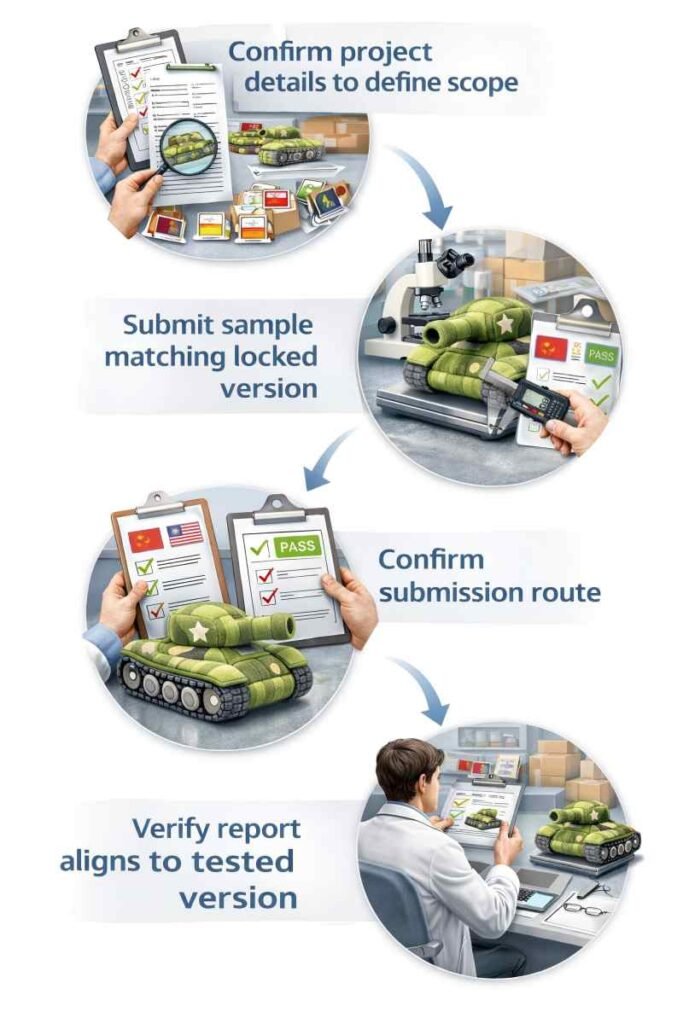
Third-party testing stays predictable when coordination follows a simple order: confirm the project details that define scope, make sure the submitted sample matches the locked version, choose the right submission route, and verify the report matches the tested version. Most delays happen when version alignment is unclear.
1) Confirm the project details that define scope
Testing starts by aligning the few details that decide what the lab tests and what the report covers:
When these details are incomplete, scope often expands late—causing timeline drift and avoidable rework.
2) Ensure the submitted sample matches the locked version
A submission-ready sample must match the locked build—so test results reflect what is intended for bulk production and shipment:
Submitting before version lock is one of the most common reasons for retesting later.
3) Define the submission route (buyer-nominated or coordinated)
Two common routes keep expectations clear:
Both routes aim for the same outcome: a submission accepted without rework, producing a report that stakeholders can use.
4) Verify the report matches the tested version
A report becomes hard to use when it can’t be linked back to the tested sample/version. A review-ready report is checked for:
Clear version linkage makes reports easier to use for procurement, QA, and audit review.
Report Timelines depends on three things: readiness, scope, and the lab queue.
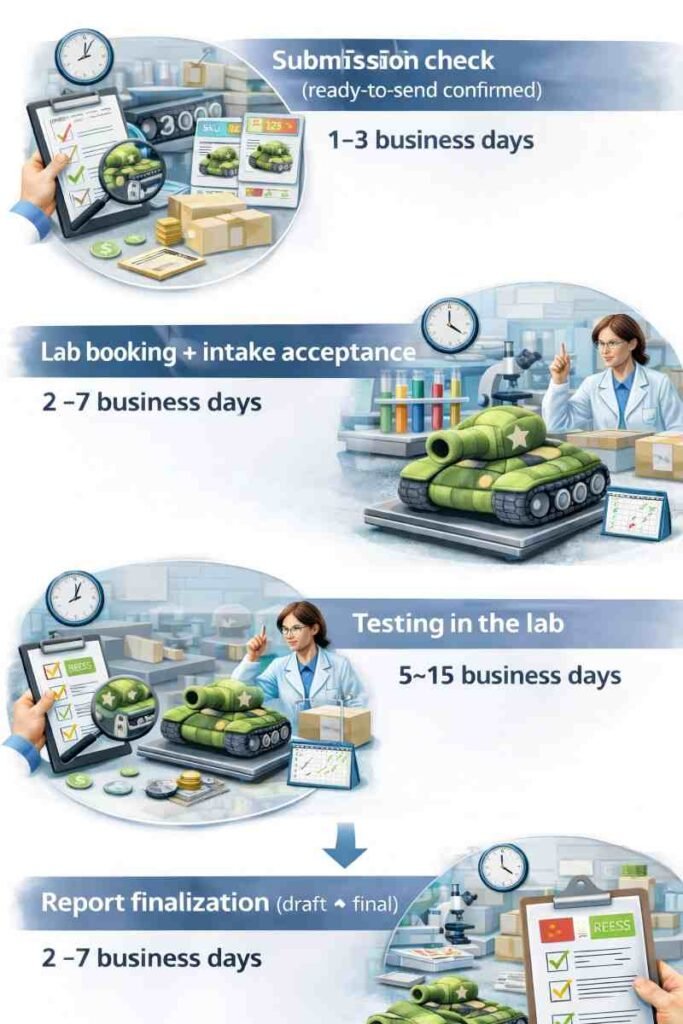
A lab lead time is not a single fixed number. The report date is mainly decided by (1) whether the submitted sample is truly final, (2) how much the lab needs to cover, and (3) the lab’s booking queue and report format requirements. A milestone timeline keeps the ship window realistic.
What usually makes reports slower
Sample not “final” yet
If materials/attachments/pack-out details are still changing, labs may pause intake—or the report may become unusable later. Either way, the report date slips.
More components = more test coverage
Weights/magnets, electronics, multiple attachments, or multi-variant programs usually increase sample needs and coordination, which extends the testing window.
Lab queue + report format requirements
Lab booking queues, buyer-nominated lab rules, required language versions, and signing/stamping or specific report formats can add days even when the sample is ready.
A simple milestone timeline (typical ranges)
The ranges below assume a submission-ready sample (locked version). Actual timing varies by lab queue and scope.
Submission check (ready-to-send confirmed) — 1–3 business days
Market/channel, SKU/version, materials, attachments, and pack-out references are checked for consistency.
Lab booking + intake acceptance — 2–7 business days
Depends on lab availability, buyer-nominated lab rules, and any special report format/language/signature requirements.
Testing in the lab — 5–15 business days
Driven by coverage scope and lab queue. Multi-variant coverage or functional components can extend this window.
Report finalization (draft → final) — 2–7 business days
Formatting, signing/stamping, language versions, and clarification questions can add time.
Typical total (submission-ready → final report): 10–30 business days
Rush (when available): 7–15 business days (usually with extra fees and stricter “no-change” expectations)
Can’t Do These If You Want to Stay On Schedule
Most cost surprises come from changes and variants.
Testing cost is easiest to control when three things are clear up front: which SKU/version is being tested, which lab route is used, and whether variants are included. Most “unexpected costs” happen when scope is assumed, the lab is nominated late, or changes trigger retesting.
The common rule of project cost
What the testing budget usually covers
Two common lab routes (cost handling stays clear)
Buyer-nominated lab
The buyer selects the lab and often controls booking, scope confirmation, and the payment route (because the report format and lab preference are buyer-specific).
Coordinated route
The lab route is coordinated based on the confirmed scope and needed report format. The payment responsibility remains the same: third-party fees are still paid by the brand/importer.
What most often increases cost (avoid these surprises)
The easiest way to avoid cost disputes
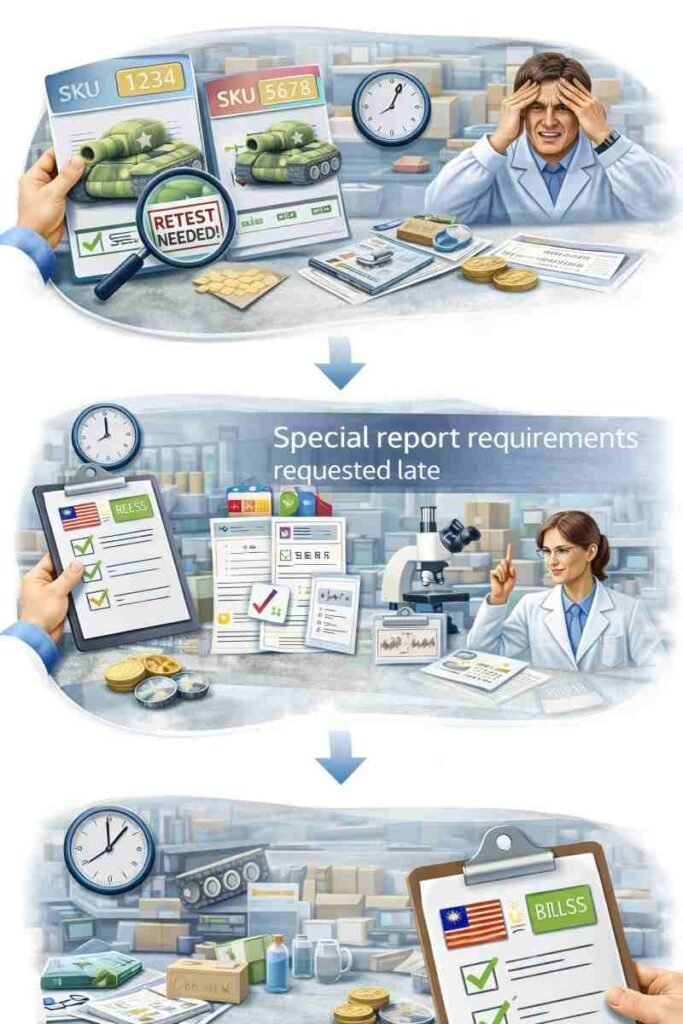
Retesting usually happens after changes.

Retesting is rarely caused by the lab. It usually happens when the tested sample no longer matches the version that will be produced or shipped. The simplest rule is: the report must match the shipped version—so key details need to be locked before submission.
Why retesting happens?
Testing starts before the “final version” is decided
A sample is tested, then materials or parts change—so the old report no longer applies.
Materials or key parts change after lab booking
Fabric, stuffing, trims, weights/magnets, electronics, or hardware changes often change the testing scope.
Labeling / pack-out changes late
Warning text, barcode/SKU mapping, inserts, or carton rules change after testing is already underway.
New variants appear midstream
New colorways/sizes/pack versions are added without a clear “what is covered” plan.
What should be locked before any submission
Before a sample goes to the lab, these items should be treated as one “final version set”:
If any of these are still undecided, testing becomes a moving target—and the risk of retesting increases.
Changes that most often force retesting
Retesting is commonly triggered when changes affect what the lab actually evaluated:
Simple control rule: if the shipped version changes, coverage must be re-checked.
How multi-variant programs avoid “testing every variant”?
Multi-SKU programs can reduce cost by planning coverage once:
This keeps testing aligned to the real program structure and avoids late additions that restart time and cost.
Easy to check. Easy to trace.
A test report only works when it can be quickly checked and clearly tied to the exact version that ships. Reports are delivered as review-ready files: clearly labeled, linked to the correct SKU/version, and stored in the correct section of the compliance document pack—so audits don’t stall over “which report matches this shipment?”
1) How each report is labeled (so it can’t be confused)
Each report is saved with the same key details, so a reviewer can confirm it belongs to the right product without guessing:
Why this matters:
It avoids the common failure where a report exists, but can’t be confidently matched to the shipped configuration.
2) Where the report sits in the compliance document pack
Reports are filed based on what they are linked to:
Why this matters:
It keeps reports in the same structure used for compliance reviews, so stakeholders can find the correct evidence fast.
3) What can be shared safely (proof without exposing sensitive details)
When stakeholders need evidence but full disclosure isn’t appropriate, sharing options are kept IP-safe:

Keep your nominated lab process frictionless
Q1: Can “all certificates” be provided by default?
Most “certificates” are not universal factory-owned files. Product test reports are typically third-party reports tied to a specific SKU/version and target market/channel. What can be provided by default is a clear document checklist + testing plan—then reports are commissioned only where the program requires them.
Q2: Can a nominated lab be used?
Yes. Nominated labs are common for retailer or platform programs. Smooth coordination depends on aligning scope, submission format, version lock, and ownership (booking/payment/report recipient) before intake—so the lab run does not turn into repeated submissions.
Q3: When should testing start?
Planning should start early, but submission should happen only once the tested version is locked (materials, attachments, pack-out/labels, and target market). Submitting before version lock is the most frequent cause of retesting.
Q4: What if materials or components change after testing?
Changes may trigger retesting if they alter the tested configuration (materials, attachments, construction affecting risk scope, or pack-out/label version). The safest approach is locking “must-not-change” items before booking, then treating any later change as a scope reset.
Q5: Can testing cost and timeline be estimated?
Yes—once target market/channel, product configuration (attachments, magnets/weights, electronics), SKU/variant count, and any special report format requirements are known, a realistic estimate can be mapped using milestone ranges (readiness → intake → testing → report).
Send target market, SKU list, and key components. Receive a submission-readiness list, a milestone timeline map, and a responsibility checklist for costs and ownership.

I am Lumi, our team would be happy to meet you and help to build your brand plush.